

Hello Everybody,
Hope you’re doing marvellously well!
I’m excited to share with you a fantastic recording session (and subsequent interface review) we recently had at La Barca Studios in the UK, where we covered Stevie Wonder’s classic hit “Superstition”.
Download the multitracks here.
Watch the video and enter the giveaway to win 5 annual memberships of Synergy Core native plugins [below].
This session was a special one, not just because of the legendary song, but also because (in addition to providing the guitar parts myself) we had the pleasure of working with:
- Nick Sowden, from La Barca Sound – bass
- Becca Burn – lead vocals
- Luca – drums
- Michael Garding (who happens to be a beloved Academy member) – saxophone
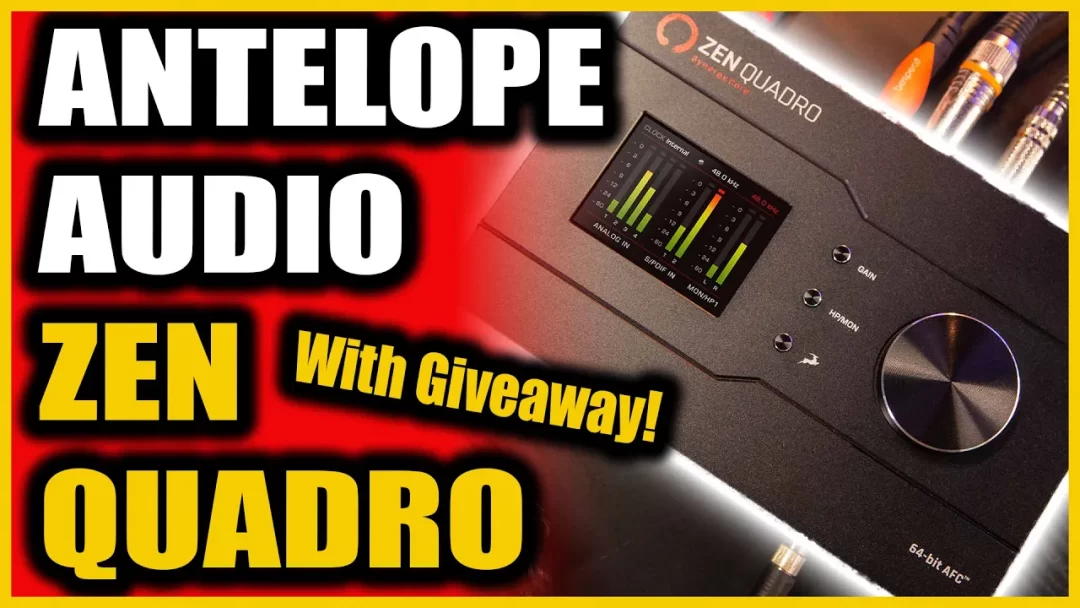
And it was all tracked through the incredible Zen Quadro Synergy Core by Antelope Audio.
Let’s walk through the setup and why the Zen Quadro was the perfect choice for this project.
Versatile and Portable for Remote Recording
Whenever I’m on a remote recording job, the Antelope Zen Quadro is a must-have in my gear bag. The pre-amps in this little powerhouse are top-notch, providing clean and warm audio that stands up to even the most demanding studio environments. Its compact size makes it super portable, so it’s easy to bring along wherever we go. Plus, for the price, you simply can’t beat the sound quality.
Making the Most of Four Inputs
During our session at La Barca Studios, we took full advantage of the Zen Quadro’s four available inputs. We connected outboard vintage compressors, mic pres, and EQs to ensure we captured the rich, analog warmth we love so much. This setup allowed us to blend the best of both worlds: the pristine digital conversion of the Zen Quadro and the character of our beloved vintage gear.
Plugins Galore
One of the standout features of the Zen Quadro is the 37 included plugins. We mixed some of the tracks using these plugins, and I have to say, they’re fantastic. The guitar emulations, in particular, were a great bit of fun for me as a guitar player. They allowed us to experiment and find the perfect tones without needing to set up multiple amps and pedals. The ease and flexibility of these plugins made our mixing process smoother and more creative.
Ease of Mixing
Speaking of mixing, the Zen Quadro really shines in this department. It’s easier to mix on than some other interfaces we’ve used, thanks to its intuitive software and robust performance. The control panel software that comes with it makes routing and monitoring straightforward, so we can focus on the music rather than getting bogged down in technical details.
The Gain You Need
One seemingly minor detail is that of the Zen Quadro’s built-in gain – it’s a whopping 75db. This may seem like a trivial detail but can become non-trivial once utilizing ribbon mics (they require much more gain). And, how nice would it be to not then have to rely on external mic pre-amps?
Priced in a Class of its Own
Though there are many affordable interfaces competing in this space currently, and they’re mostly all great by any standard, yet there still exists a disparity between their features and those that are notably more expensive. The Zen Quandro sits in a spot between these two types and delivers many features and specs comparable to the latter camp. Take a look at some specification to see why.
Additional Specs:
- Microphone: Advanced internal microphone system
- Connectivity: USB and XLR outputs
- Recording Quality: 192 kHz sampling rate
- Bit Depth: 24-bit audio resolution
- Preamps: Discrete, ultra-linear preamps
- Inputs: 4 mic/line inputs
- Phantom Power: 48V phantom power for condenser mics
- Clocking: Antelope’s proprietary 64-bit AFC™ clocking technology
- Conversion: High-quality AD/DA converters
- Software: Included control panel software for advanced routing and monitoring
- Portable: Compact and portable design
- Compatibility: Works with both Mac and PC
- DSP: Built-in FPGA FX for real-time effects and processing
- Real-time FX Processing:
- Synergy Core platform with dual DSP and FPGA processing
- Includes a variety of real-time effects like EQs, compressors, reverbs, and more
- Software Control:
- Control via software for routing, monitoring, and effects
- Cross-platform compatibility (Windows and macOS)
- Low Latency Monitoring:
- Direct monitoring with near-zero latency
- High-Quality Converters:
- High-quality AD/DA converters for pristine audio quality
Thanks for tuning in, and I hope you enjoyed this behind-the-scenes look at our recording session. Keep making great music, and I’ll see you in the next video!
Don’t forget to download the multitracks!
Many Thanks,
Warren