Mike Exeter, a renowned audio engineer, shares his top five favourite plugins that he uses when making records. Each of these tools plays a crucial role in his mixing and production process, helping him achieve high-quality sound and smooth workflows.
 1. Massenberg Design Works EQ6
 1. Massenberg Design Works EQ6
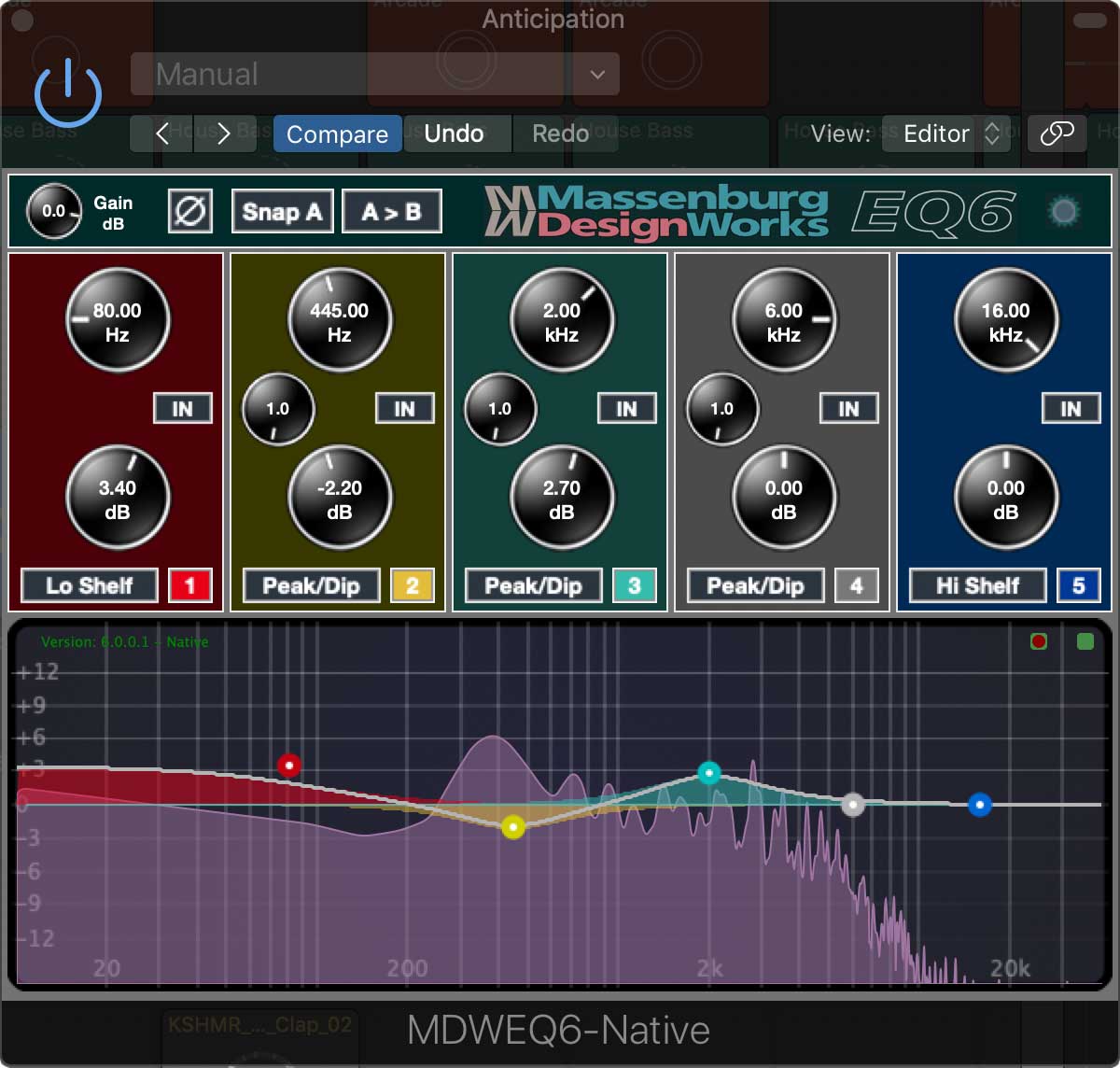
The first plugin on Mike’s list is the Massenburg Design Works EQ6. He has been using this EQ since version two, which dates back to when Pro Tools was still TDM. This plugin is particularly valued for its low latency DSP modes, making it ideal for tracking with an HDX system. Mike appreciates its musical quality, surgical precision, and broad sweep capabilities. A standout feature is the iso Peak function, which allows users to isolate specific frequencies and sweep around to identify and dip undesirable resonances. Despite some criticism regarding its user interface, Mike finds it intuitive and well-mapped to control surfaces. This state-of-the-art equaliser provides unparalleled clarity and smoothness, making it a preferred choice for professionals seeking precise tonal control. The MDWEQ6 is available for Pro Tools AAX, VST, and AU applications.
2. Massenberg DRC2
 2. Massenberg DRC2
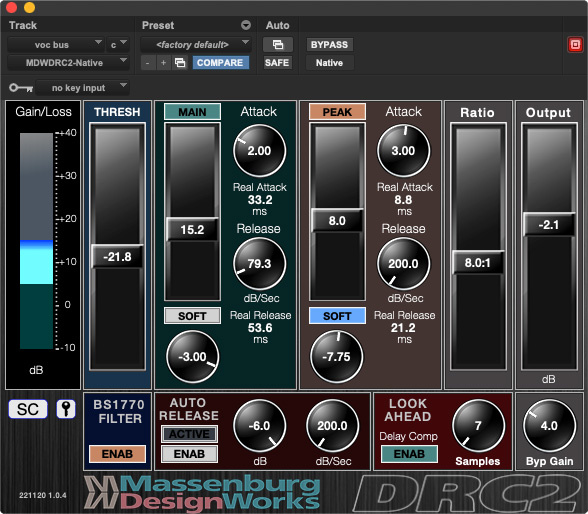
Next up is the Massenburg DRC2. This plugin has been in development for about 15 years and is based on a hardware piece that has existed for over 30 years. Mike loves this plugin for its ability to provide substantial dynamic range control without the typical compression artifacts. He notes that it can achieve 13 to 20 dB of gain control while maintaining a natural sound. Although he found it complex to learn initially, Mike emphasizes the value it brings to his mixing process. A high-resolution dynamics processor designed to manage audio levels transparently, preserving the natural sound while controlling dynamic extremes.
3. Control Surfaces
 3. Control Surfaces
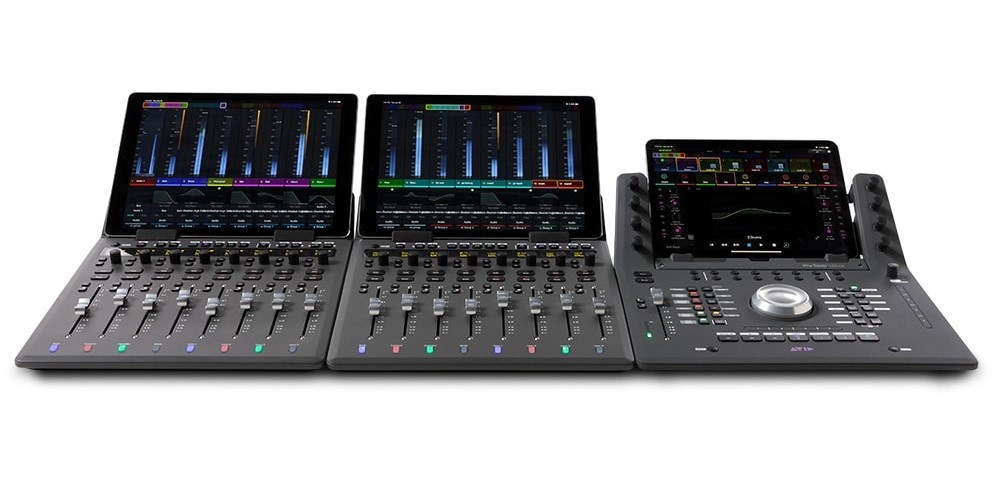
While not a plugin in the traditional sense, Mike’s third favourite is his control surface. He uses a EUCON mixing setup with two S1 units and a dock at home. This system allows him to have direct control over Pro Tools, making mixing feel more intuitive and hands-on. Mike likens the experience to working with traditional mixing consoles, which enhances his workflow. He also mentions using SSL consoles, such as the 900 and Duality, for tracking, which blend analog warmth with digital control.
Avid offers several Eucon-enabled control surfaces designed to enhance your DAW workflow:
- Avid S1: A compact control surface featuring eight touch-sensitive motorized faders, touch-sensitive knobs, and integration with the free Avid Control app for extended touchscreen workflows. It’s compatible with various DAWs, providing deep integration and control.
- Avid S3: A more advanced, EUCON-enabled control surface that combines a control surface and audio interface into a compact form factor, offering deep integration with Pro Tools and other DAWs.
- Avid S6: A modular and customizable control surface designed for professional studios, offering extensive visual feedback, touch-sensitive controls, and seamless DAW integration.
4. ADPTR Audio AB
 4. ADPTR Audio AB
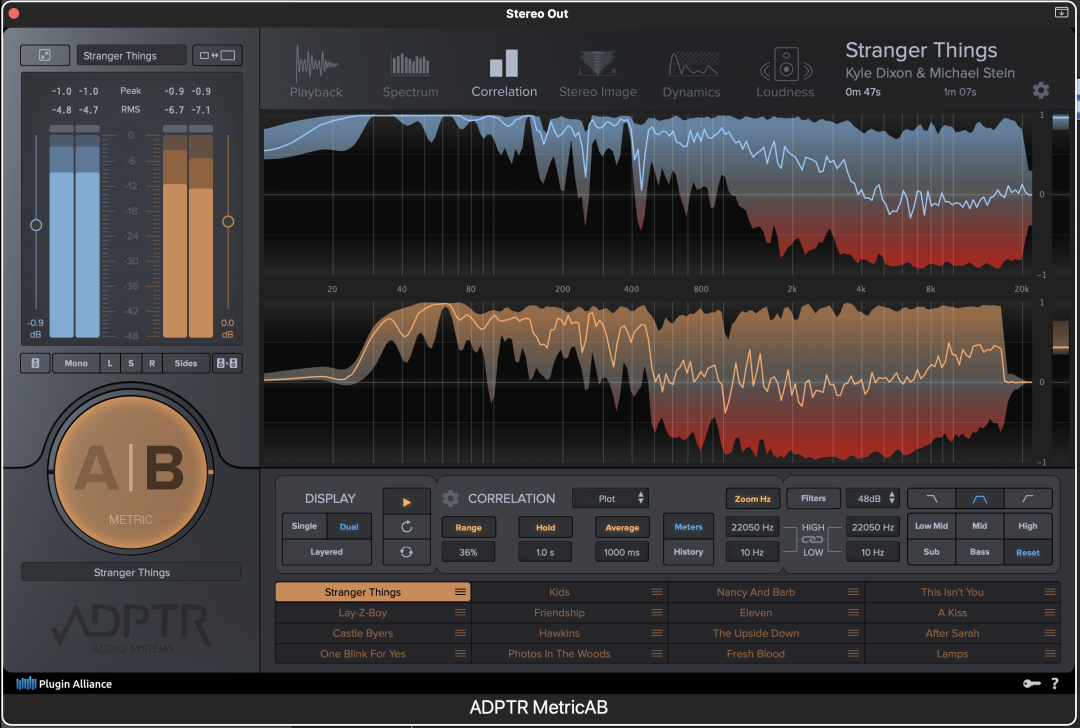
The fourth plugin on Mike’s list is Metric AB. For Mike this tool is an essential for referencing tracks while mixing. Mike highlights its importance in allowing him to compare his mixes with commercial releases, providing valuable insights into his work. By placing it on his master bus, he can listen through the same setup and converters, ensuring a consistent monitoring environment.
The Metric AB plugin, developed by ADPTR AUDIO, is a powerful tool designed to streamline the process of comparing your mix with reference tracks. This comparison, often referred to as “A/B testing,” is essential for ensuring that your mix meets professional standards in terms of tonal balance, loudness, dynamics, and stereo imaging.
Key Features:
- A/B Comparison: Quickly toggle between your mix (A) and reference tracks (B) to identify differences and make informed adjustments.
- Comprehensive Analysis Tools: Includes spectrum analysis, stereo imaging, correlation meters, and dynamic range measurements to provide a detailed visual representation of your audio.
- Loudness Matching: Automatically matches the loudness levels between your mix and reference tracks, ensuring fair comparisons without being influenced by volume differences.
- Multiple Reference Tracks: Supports loading up to 16 reference tracks, allowing for versatile comparisons across various genres and production styles.
- Cue and Loop Points: Set precise cue and loop points within reference tracks to focus on specific sections, such as choruses or verses, facilitating targeted comparisons.
- Filter Bank: Isolate specific frequency ranges to compare elements like bass, mids, or highs between your mix and the reference tracks.
5. ChronoSync
 5. ChronoSync
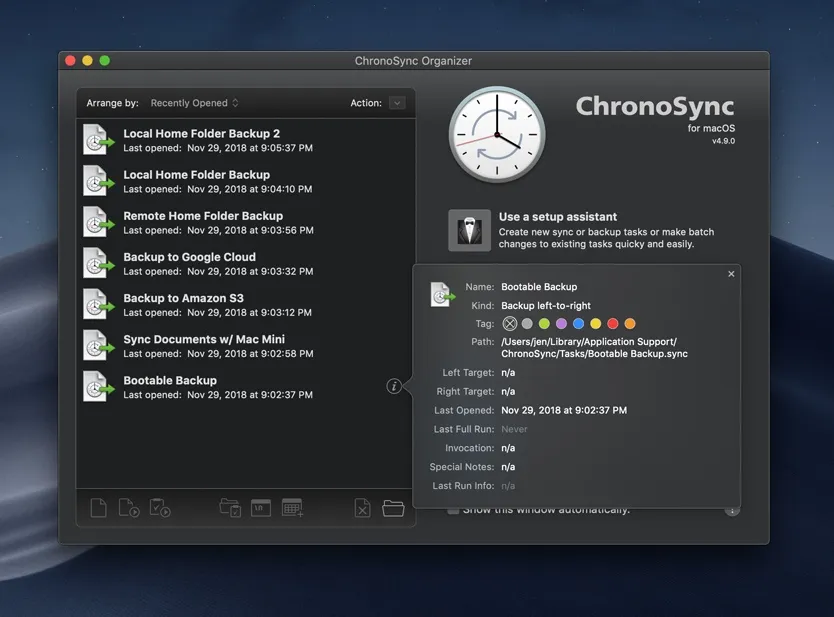
Lastly, Mike emphasizes the importance of data safety with ChronoSync. This synchronization program allows him to set up scripts that back up his important data to multiple drives simultaneously. He stresses the necessity of having data in three places to prevent loss, drawing from his own experiences with data loss in the past. At the end of each session, he ensures that backups are safely stored, whether at home or with the band.
ChronoSync is a versatile macOS application designed for file synchronization, backup, and archiving. Developed by Econ Technologies, it provides a powerful solution for users who need to keep their data consistent across multiple devices, create secure backups, and manage file versioning.
Key Features of ChronoSync:
- File Synchronization:
- Allows users to synchronize files and folders between different locations, such as computers, external drives, or cloud services.
- Supports two-way synchronization, ensuring that changes in either location are mirrored.
- Backup and Archiving:
- Enables the creation of reliable backups, including bootable backups for macOS.
- Offers options for incremental backups, which only copy files that have changed since the last backup.
- Can archive files deleted from the source, ensuring they remain available if needed later.
- Automation:
- Includes a built-in scheduler to automate synchronization and backup tasks at specified times or intervals.
- Supports email notifications for task completion, warnings, or errors.
- Flexibility:
- Works with local storage, network drives, and cloud services like Amazon S3, Google Cloud Storage, and Backblaze B2.
- Compatible with various file systems used in macOS and external storage devices.
- Comprehensive Reporting:
- Provides detailed logs and reports, allowing users to review task results and identify any issues.
- Real-time Monitoring:
- Offers the capability to monitor specific folders for changes and synchronize them immediately.
Use Cases:
- Personal Data Backup: Protect important documents, photos, and media files by creating backups on external drives or cloud storage.
- Business Continuity: Sync files between office computers or maintain updated backups for critical business data.
- Multi-device Synchronization: Keep files consistent across multiple Macs or between a Mac and an external storage device.
Why Choose ChronoSync?
ChronoSync is widely appreciated for its reliability, customization options, and user-friendly interface. It’s a popular choice among macOS users for its ability to handle complex synchronization and backup tasks with precision and minimal effort.
For more details or to download the software, you can visit Econ Technologies’ official site.
These five plugins and tools are integral to Mike Exeter’s recording process, each serving a unique purpose in enhancing the quality and efficiency of his work. Have you used any of these plugins or have your own favorites? Share your thoughts in the comments below!