An impulse response (IR) is like a sonic snapshot – it captures the complete character of your amp setup in incredible detail. In guitar terms, it means recreating the sound of your speaker, mic, mic placement, and even the room you’re playing in, all from a single file.
Why Impulse Responses Matter for Guitarists
You can dial in the perfect amp tone, but your final sound is influenced by a lot more – the type of speaker, the mic you’re using, its placement, and even the space you’re in. An impulse response captures all of that. Think of it as preserving the full vibe of your favourite tone, ready to recall anytime, anywhere.
That means whether you’re on stage, in the studio, or practising with headphones at home, you can have the exact sound you love – right down to your favourite mic angle and room feel.

Enter PULSE 2 – Free IR Loader from Lancaster Audio
To make using IRs even easier, Lancaster Audio has launched PULSE 2 – a brand-new, completely free IR loader, built in collaboration with Aurora DSP.
PULSE 2 is designed for everyone – from first-time users to seasoned engineers – and comes packed with powerful features:
- Four IR slots for blending multiple responses
- Unique Blend Control for dialling in the perfect balance
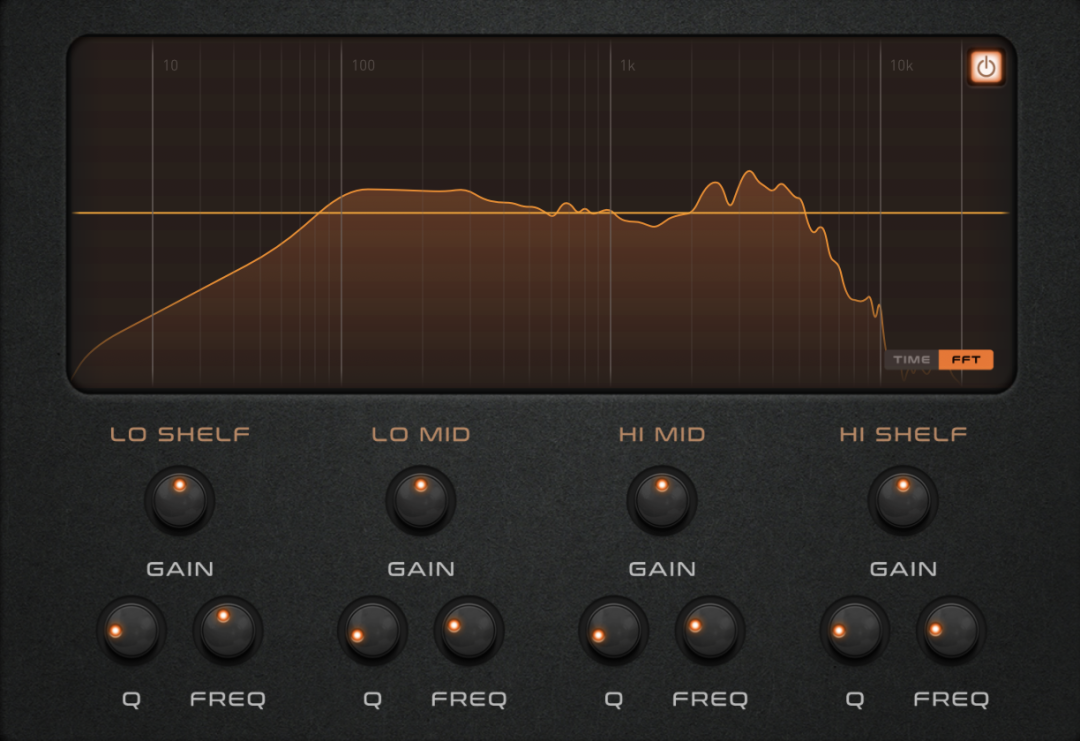
- EQ, HP/LP filters, and real-time sample rate conversion
- Auto-align to phase-match your blends
- Export your custom blend as a brand new .wav IR
- Fully compatible with third-party IRs
- Available on multiple platforms
And the best part? It comes preloaded with four hand-picked IRs from Lancaster Audio’s Producer Packs, so you’re up and running with great tone straight away.
PULSE 2 is a game-changer for IR workflow – spend less time organising files, and more time making music.
How Do You Use an Impulse Response?
IRs are usually saved as .wav files, and once you’ve got one (or a few), you can load them into compatible gear or software – like PULSE 2 – to reproduce the tone of your favourite rig.
More and more pedals and digital modellers now support IRs, so using them on your pedalboard or in your DAW has never been easier.
Using IRs with Modelling Amps
Most modern modellers support third-party IRs. Here’s how a few big names handle it:
- Neural DSP Quad Cortex – Import IRs via Cortex Cloud and add them to your signal chain.
- Line 6 Helix – Use the editor software to drag and drop IRs into the ‘Impulses’ tab.
- Kemper Profiler – Convert IRs to .kipr using Cab Maker, then import via USB.
- Headrush – Use USB Transfer mode to drag .wav IRs into the Impulse Responses folder.
Can You Use IRs in a DAW?
Definitely. IRs are widely used in DAWs, especially in convolution reverb plugins or amp sims like Amplitube, BIAS FX, or Helix Native. PULSE 2 works brilliantly as a plugin within your DAW, making it easy to blend, tweak, and export custom tones on the fly.
IR vs Cab Sim – What’s the Difference?
A cab sim is a digital recreation of a speaker cabinet’s tone – often relying on EQ curves and modelling. It’s effective, but an impulse response is the real deal. It’s not simulated – it’s measured, recorded, and recreated from an actual physical setup.
With an IR, you’re getting a precise capture of a real speaker, mic, and room combination – no guesswork, just authenticity.
IR vs Algorithmic Reverb
Convolution reverb – often built on IRs – simulates real spaces by measuring how they respond to sound. Algorithmic reverb, on the other hand, uses maths and modelling to approximate reverb. Both have their place, depending on whether you want realism or creativity.
 Summary
 Summary
Impulse responses have become an essential part of the modern guitarist’s toolkit. Whether you’re crafting tones for the stage, the studio, or silent practice, they give you the power to take your favourite setup anywhere.
With tools like Lancaster Audio’s PULSE 2, working with IRs is easier, faster, and more intuitive than ever. Free to download, packed with features, and compatible with third-party IRs, it’s the perfect starting point – or upgrade – for your tone journey.
So go ahead – try some IRs, blend your perfect sound, and never look back.